Cyber Security  ·  Level 5
Perform Computer Networking
Chapter 2: Features and functions of computer networks
📚 5 Topics
What you will be able to do

By the end of this chapter, you will be able to:

  • Explain the functions of computer networks clearly and relate them to the needs of an organization.
  • Identify key network devices like switches, routers, access points, and firewalls, and describe how each supports network functions.
  • Recognize common network protocols and explain why they are important for communication between devices.
  • Analyze the benefits and drawbacks of networks, including factors like cost, efficiency, reliability, and security risks, using real-world examples.

Mastering these skills will help you design and maintain networks that keep businesses connected, secure, and running smoothly.

2.1 Components of a Network

The components of a computer network refer to the physical and logical elements that collectively enable communication and data exchange between devices. For cyber security professionals, recognizing these components is crucial to identify potential vulnerabilities and to design robust security measures. In Kenya, where institutions like the Ministry of ICT and NHIF rely heavily on interconnected systems, understanding network components helps in implementing effective protections against cyber threats.

2.1.1 Network Devices

Network devices are hardware elements that facilitate the connection, communication, and management of data traffic within and between networks. These devices serve as the infrastructure for data transmission and control, making them critical points for cyber security monitoring and intervention.

Key Network Devices

  • Routers: These devices direct data packets between different networks, determining the optimal path for data transmission. In the context of a Nairobi county government office, routers manage traffic between local networks and the internet, making them strategic points for firewall deployment.

  • Switches: Switches connect multiple devices within the same network, forwarding data only to the intended recipient device. This selective data forwarding improves network efficiency and security by reducing unnecessary data exposure.

  • Firewalls: Acting as security checkpoints, firewalls filter incoming and outgoing traffic based on predetermined security rules. For example, a SACCO's network firewall prevents unauthorized access attempts while allowing legitimate financial transactions.
  • Access Points: These devices enable wireless devices to connect to a wired network, extending network reach. In Kenyan universities, access points are essential for providing secure Wi-Fi to students and staff while controlling access.
  • Modems: Modems modulate and demodulate signals for internet connectivity, translating digital data to analog signals and vice versa. This component is vital in rural Kenyan clinics where internet access may depend on DSL or cable connections.

2.1.2 Network Media

Network media refers to the physical pathways through which data travels between network devices. Selecting appropriate media influences network performance and security, particularly in sensitive environments such as hospitals or financial institutions.

Types of Network Media

  • Twisted Pair Cables: Commonly used in LANs, these cables consist of pairs of insulated copper wires twisted together to reduce electromagnetic interference. In Kenya’s county offices, twisted pair cables are widely used due to their affordability and ease of installation.

  • Coaxial Cables: These cables have a central conductor surrounded by insulation and shielding, offering better resistance to interference than twisted pair cables. Some older Kenyan telecommunication setups still utilize coaxial cables for network backbone connections.
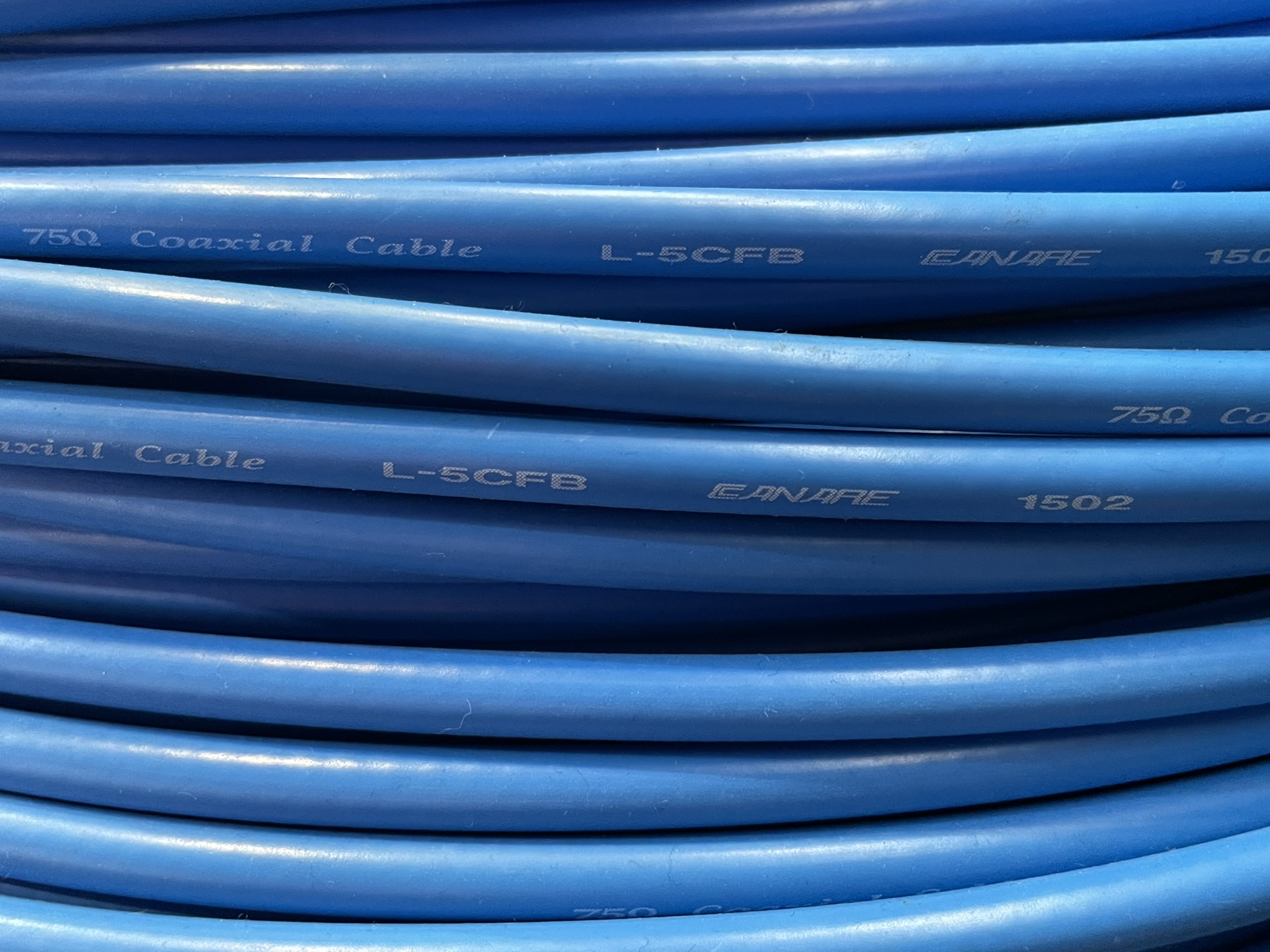
  • Fiber Optic Cables: Fiber optics use light pulses to transmit data, enabling high-speed and long-distance communication with minimal signal loss. Kenyan banks and large enterprises increasingly adopt fiber optics for secure and fast data transfer.

  • Wireless Media: Wireless communication uses radio waves or infrared signals to transmit data without physical cables. In urban areas like Nairobi and Mombasa, wireless networks support mobile devices, but require strong encryption to prevent unauthorized interception.
  • Satellite Links: Satellite communication provides connectivity in remote areas where terrestrial infrastructure is limited. Cyber security teams working with rural health facilities use satellite links to establish secure connections for telemedicine applications.

2.1.3 Network Protocols

Protocols are standardized rules that govern how data is formatted, transmitted, and received across a network. These protocols ensure interoperability between devices and are fundamental to maintaining secure communication channels in cyber security operations.

Essential Network Protocols

  • Transmission Control Protocol (TCP): TCP provides reliable, ordered, and error-checked delivery of data between applications. Cyber security analysts use TCP monitoring to detect anomalies such as retransmission floods indicating potential denial-of-service attacks.
  • Internet Protocol (IP): IP handles addressing and routing of packets to ensure data reaches the correct destination. IPv4 remains prevalent in Kenya, though IPv6 adoption is growing to address the shortage of IP addresses.
  • Hypertext Transfer Protocol Secure (HTTPS): HTTPS encrypts web traffic to protect sensitive information during online transactions. Kenyan e-commerce platforms rely on HTTPS to secure customer data from interception.
  • Simple Network Management Protocol (SNMP): SNMP allows network administrators to monitor and manage network devices remotely. Security teams at county governments use SNMP to detect unauthorized device configurations or traffic patterns.
  • Domain Name System (DNS): DNS translates domain names into IP addresses, enabling users to access websites easily. DNS security extensions (DNSSEC) are being implemented by Kenyan ISPs to combat DNS spoofing attacks.

2.1.4 Network Interface Cards (NICs)

Network Interface Cards are hardware components installed in computing devices to enable network connectivity. They serve as the interface between the device’s internal bus and the network medium, playing a pivotal role in data transmission and reception.

Characteristics and Functions of NICs

  • Physical Connection: NICs provide physical ports, such as RJ-45 for Ethernet cables or antennas for wireless connections, facilitating device linkage to the network. For example, a desktop computer in a Nairobi university lab uses a NIC to connect to the campus network.
  • Data Link Layer Processing: NICs handle framing and error detection at the data link layer, ensuring data integrity before passing it on to higher layers. This function is critical in preventing corrupted packets from compromising network operations.
  • MAC Address Assignment: Each NIC has a unique Media Access Control (MAC) address that identifies the device on the network. Cyber security tools use MAC addresses to filter and authenticate devices within a corporate network.
  • Support for Multiple Standards: NICs support various communication standards such as Ethernet, Wi-Fi, or Bluetooth, enabling versatile connectivity options. Kenyan financial institutions deploy NICs compatible with secure Wi-Fi standards to protect sensitive transactions.
  • Driver and Firmware Management: NICs rely on software drivers and firmware for proper operation and security patching. Regular updates prevent exploitation of vulnerabilities that could allow attackers to intercept or inject malicious traffic.

Functions of NICs

Network Interface Cards (NICs) perform several essential functions that support secure and efficient network operations in Kenyan organizations:

  • Enabling Network Communication: NICs facilitate the sending and receiving of data packets between a device and the network. For instance, in a KCB Bank branch, NICs allow teller computers to securely access central banking systems.
  • Implementing Access Control: By providing a unique MAC address, NICs help network administrators enforce access policies, ensuring only authorized devices connect to sensitive networks, such as those at the Kenya Revenue Authority.
  • Supporting Virtualization: Modern NICs can handle multiple virtual network interfaces, allowing servers at institutions like the University of Nairobi to run several isolated network environments on a single physical machine, enhancing both security and resource utilization.
  • Offloading Network Processing: Advanced NICs can offload tasks such as checksumming and segmentation from the CPU, improving performance and reducing the risk of denial-of-service attacks in high-traffic environments like Safaricom data centers.
  • Monitoring and Diagnostics: NICs provide diagnostic information and support for network monitoring tools, enabling IT teams at organizations like the Ministry of Health to quickly detect and respond to suspicious network activity.

Practice Questions

  1. Explain the role of routers in a computer network and how they contribute to cyber security in Kenyan public institutions. (6 marks)
  2. Compare and contrast twisted pair cables and fiber optic cables, focusing on their suitability for different Kenyan network environments. (8 marks)
  3. Describe five key network protocols and their importance in maintaining secure communications. (10 marks)
  4. Discuss the functions of Network Interface Cards and their significance in securing device connectivity within a corporate network. (6 marks)
The rest of this chapter
🔒

Create a free account to open more of this chapter.

Free: practical guides, quick cards, workplace scenarios and more.

Create a free account
🔒2.2 Network types

In the field of cyber security in Kenya, understanding the different types of computer networks is fundamental for designing, securing, and managing network infrastructures effectively. Cyber security professionals must be aware of how networks vary in scale,…

🔒2.3 Transmission Media

In the context of cyber security in Kenya, understanding transmission media is vital for securing data communication within networks. Transmission media determine how data signals travel between devices, influencing network performance, security vulnerabilitie…

🔒2.4 Network Topologies

Computer network topology refers to the physical or logical arrangement of devices and connections in a computer network. For cybersecurity professionals in Kenya, understanding network topologies is essential because the design influences network security, fa…

🔒2.5 Network standards

Network standards are critical in ensuring interoperability, security, and efficiency across diverse computer networking environments. In Kenya’s cyber security landscape, adherence to established network standards enables professionals to design, implement, a…

Chapter Summary

This chapter explored the essential components that make up a computer network, including devices such as routers, switches, and network interface cards, which work together to enable communication. It then discussed various network types, highlighting distinctions between local area networks, wide area networks, and other classifications based on size and purpose. The chapter also examined transmission media, covering both wired options like coaxial cables and fiber optics, as well as wireless methods such as radio waves. Different network topologies were analyzed, explaining how the arrangement of nodes affects performance and reliability, with common examples including star, bus, and ring configurations. Finally, the chapter addressed network standards, emphasizing their role in ensuring interoperability and compatibility among diverse hardware and software within a network environment. Understanding these features and functions equips learners with a comprehensive foundation for designing, implementing, and managing effective computer networks.

Self-Assessment

🔒 PDFDownload this self-assessment, with answers

A. Written Assessment

  1. Identify five essential components of a computer network and briefly explain their role in cyber security. (5 marks)
  2. Differentiate between LAN and WAN, citing one cyber security implication unique to each. (3 marks)
🔒20 more in this section.

Chapter Examination Questions

🔒 PDFDownload these examination questions, with model answers

SECTION A (40 Marks) - Answer ALL Questions

  1. Identify five essential components of a computer network and explain how each supports cybersecurity in a county government office. (4 marks)
  2. Differentiate between a Local Area Network (LAN) and a Wide Area Network (WAN) with examples relevant to a Kenyan bank’s cybersecurity infrastructure. (4 marks)
🔒18 more in this section.

Chapter Practical Activities

Practical 1: Identify and assemble basic computer network components

Cyber Security · Level 5
Perform Computer Networking
PRACTICAL ASSESSMENT
TIME: 4 HOURS
⬇ PDFCandidate Instructions (Candidate Tool)

Type: Individual

INSTRUCTIONS TO CANDIDATE:
1.  You are required to perform the following task:
i.  Identify, select, and assemble a basic LAN network setup consisting of one router, one 8-port switch, three 3-meter Cat5e cables terminated with RJ45 connectors, and install one NIC in a desktop PC.
2.  You have been provided with the following resources for the practical task:
Tools & EquipmentMaterials
Crimping toolRouter
Cable testerSwitch (8-port)
Screwdriver setCat5e Ethernet cable
RJ45 connectors
Network Interface Card (NIC)
Labeling stickers
⬇ PDFResources Required (Cutting List)
S/NItemQuantity
1Router1 Pc per Candidate
2Switch (8-port)1 Pc per Candidate
3Cat5e Ethernet cable, 3 meters3 Pcs per Candidate
4RJ45 connectors10 Pcs per Candidate
5Network Interface Card (NIC)1 Pc per Candidate
6Crimping tool1 Pc per Candidate
7Cable tester1 Pc per Candidate
8Screwdriver set1 Set per Candidate
9Labeling stickers1 Sheet per Candidate
⬇ PDFAssessor Guide
Items to be EvaluatedMarks AvailableMarks ObtainedComments
TASK 1: Identification and selection of network components
Candidate wears appropriate PPE (e.g. anti-static wrist strap)
(Award 1 mark for correct PPE use or zero)
1
Candidate correctly identifies the router
(Award 1 mark each for correct identification and explanation)
2
Candidate correctly identifies the switch
(Award 1 mark each for correct identification and explanation)
2
Candidate selects appropriate Cat5e cables and RJ45 connectors
(Award 2 marks for correct selection or zero)
2
Candidate identifies the Network Interface Card (NIC) correctly
(Award 2 marks for correct identification or zero)
2
Sub-Total9
TASK 2: Assembly of network components
Candidate properly terminates Cat5e cables with RJ45 connectors using crimping tool
(Award 1 mark per correctly terminated cable, max 3; 1 mark for proper tool use)
4
Candidate tests all terminated cables with cable tester
(Award 1 mark per cable tested correctly)
3
Candidate installs NIC properly into the desktop PC
(Award 3 marks for correct installation and connection)
3
Candidate connects router, switch, and cables as per schematic
(Award 1 mark each for correct connections between router-switch, switch-NIC, labeling, and cable management)
4
Sub-Total14
PRODUCT CHECKLIST
Assembled LAN network matches schematic with correct component placement and cable lengths (3 m cables)
(Award 3 marks for exact match or zero)
3
All terminated cables pass continuity and wiring tests on cable tester
(Award 3 marks for all cables tested successfully or zero)
3
NIC installed firmly and recognized by PC hardware
(Award 2 marks for proper installation and recognition)
2
Network components are cleanly labeled and cables are neatly managed
(Award 3 marks for neat labeling and cable management or zero)
3
Sub-Total11
GRAND TOTAL34
ASSESSMENT OUTCOME:   ☐ Competent    ☐ Not Yet Competent (competent if at least 50%)

Practical 2: Classify and Demonstrate Types of Computer Networks

Cyber Security · Level 5
Perform Computer Networking
PRACTICAL ASSESSMENT
TIME: 4 HOURS
⬇ PDFCandidate Instructions (Candidate Tool)

Type: Individual

INSTRUCTIONS TO CANDIDATE:
1.  You are required to perform the following task:
i.  Set up and demonstrate a Local Area Network (LAN) and Personal Area Network (PAN) with devices connected, showing key network features.
2.  You have been provided with the following resources for the practical task:
Tools & EquipmentMaterials
Laptop computerNetwork topology diagram sheet
Wireless router
Ethernet cables CAT5e
Smartphone with Bluetooth
Network switch (8-port)
Pen and paper
⬇ PDFResources Required (Cutting List)
S/NItemQuantity
1Laptop computer1 Pc per Candidate
2Wireless router1 Pc per Candidate
3Ethernet cables CAT5e4 Pcs per Candidate
4Smartphone with Bluetooth1 Pc per Candidate
5Network switch (8-port)1 Pc per Candidate
6Network topology diagram sheet1 Pc per Candidate
7Pen and paper1 set per Candidate
⬇ PDFAssessor Guide
Items to be EvaluatedMarks AvailableMarks ObtainedComments
TASK 1: Setup and Demonstration of Network Types
Candidate wears appropriate PPE (e.g. anti-static wrist strap if required)
(Award 1 mark if worn, 0 if not)
1
Candidate identifies and explains the characteristics of LAN
(Award up to 3 marks for clear, correct explanation)
3
Candidate correctly connects devices to form a LAN using Ethernet cables and switch/router
(Award 1 mark per correct connection, max 4)
4
Candidate sets up a PAN using smartphone Bluetooth to connect at least two devices
(Award 3 marks if PAN is functional and demonstrated)
3
Candidate explains differences between LAN, WAN, MAN, and PAN with examples
(Award 1 mark each for correct explanation and examples of LAN, WAN, MAN, PAN)
4
Candidate documents network setup on the topology diagram sheet
(Award 2 marks for clear, accurate documentation)
2
Candidate tests network connectivity within LAN and PAN
(Award 3 marks if connectivity tests are successful and demonstrated)
3
Candidate tidies work area and stores equipment properly after demonstration
(Award 1 mark if equipment is properly stored)
1
Sub-Total21
PRODUCT CHECKLIST
LAN setup includes at least 3 devices connected correctly with cables and switch/router
(Award 5 marks if LAN is fully functional and correctly connected)
5
PAN setup connects at least 2 devices via Bluetooth and is demonstrated working
(Award 4 marks if PAN is functional and demonstrated)
4
Network topology diagram correctly shows device connections and network types
(Award 5 marks for correct, legible, and complete diagram)
5
Candidate correctly classifies and differentiates LAN, WAN, MAN, and PAN in written or oral form
(Award 5 marks for clear, accurate classification and differentiation)
5
Sub-Total19
GRAND TOTAL40
ASSESSMENT OUTCOME:   ☐ Competent    ☐ Not Yet Competent (competent if at least 50%)
🔒

Free: practical guides, quick cards, workplace scenarios and more.

Create a free account
🔒Install and test wired transmission mediaPractical 3
🔒Installation and Testing of Wireless Transmission MediaPractical 4
🔒Set out and build a star network topology with central switch and four workstationsPractical 5
🔒Set out and build a bus network topologyPractical 6
🔒Set out and build a ring network topologyPractical 7
🔒Identify and apply network standards for Ethernet and Wi-Fi configurationsPractical 8
🔒Compare network topologies with transmission media and test connectivityPractical 9
🔒Integrate a 4-Node Ethernet LAN Network with Standard Compliant ComponentsPractical 10
Flashcards 20 cards Study deck ▾
Question
1

↻ Tap card to reveal answer
🔒

18 more in this section.

Create a free account
Test Yourself 18 questions Start quiz ▾
0%
0 / 2
🔒

16 more in this section.

Create a free account
Am I competent?

At the start of this chapter we promised you would be able to:

  • Explain the functions of computer networks clearly and relate them to the needs of an organization.
  • Identify key network devices like switches, routers, access points, and firewalls, and describe how each supports network functions.
  • Recognize common network protocols and explain why they are important for communication between devices.
  • Analyze the benefits and drawbacks of networks, including factors like cost, efficiency, reliability, and security risks, using real-world examples.

Tick each one you can genuinely do.

Prove it — in the simulator

Sample simulation — try how the simulator works. A version built for this chapter's practical is coming.

Prepare Kenyan PilauLocked ▸

Free: practical guides, quick cards, workplace scenarios and more.

Now — are you there yet?

You're competent when you can confidently do 50% or more of what this chapter promised.

Sign in to record how you're doing.